One button. Any page.
A Designix Button is a small tag with a tap chip inside. Tap it with a phone and it opens whatever you choose: your own page, your shop, your Facebook, your Viber, your map. Change it any time from any browser. The button never needs reprinting.
Tap. It opens. Change it whenever.
Set up in two minutes with the code on your card.
Tap it with a phone
Hold the button to the back of a phone. It opens your page in the browser. No app for you or for whoever taps it. No NFC? Scan the QR on the card.
Activate it with your code
The first tap opens the activation page. Type the 8-character code printed on your card and your email. That button is now yours.
Choose what it opens
Build your own page (photo, message, buttons, map, colours) or point it to any link. Change it any time at buttons.designix.ph.
Your page, changed in a minute.
Sign in at buttons.designix.ph from any phone or computer. What you see in the preview is what people see when they tap.
Up to 5 big buttons. Tap + Add button, move them with the ↑ ↓ arrows, or remove one with ✕.
Facebook, Instagram, TikTok, Viber, Call, Text, Email, Website, Location or Pay link. Switch any time, just type the number or handle.
A Location button opens Google Maps. The map picture on your page stays off unless you switch it on: safer for pet and family tags.
Add a PayPal.me, Maya Business, PayMongo, GCash or Xendit payment link. Only real payment links are accepted, so no fake "pay here" buttons.
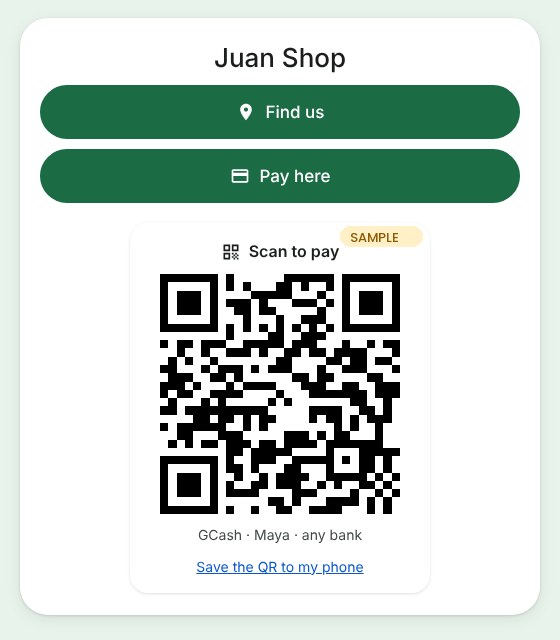
Upload the QR from your GCash, Maya or bank app. Buyers scan it from any bank or e-wallet, or save it to their phone.
Photo, a message with bold, lists and colours, a background photo, your colours, round or square buttons.
Get paid from the same tap.
Your page can show a Pay here button and your QR Ph code under your links. Customers pay with whatever app they already use.
⚠️ We recommend no payment options on pet or family tags. A "reward" button there is exactly what scammers copy.
Paw, bag tag, key chain, or something of your own.
The smart part is a small 25 mm NFC disc. The shape around it is up to you, and we print it in your colours.
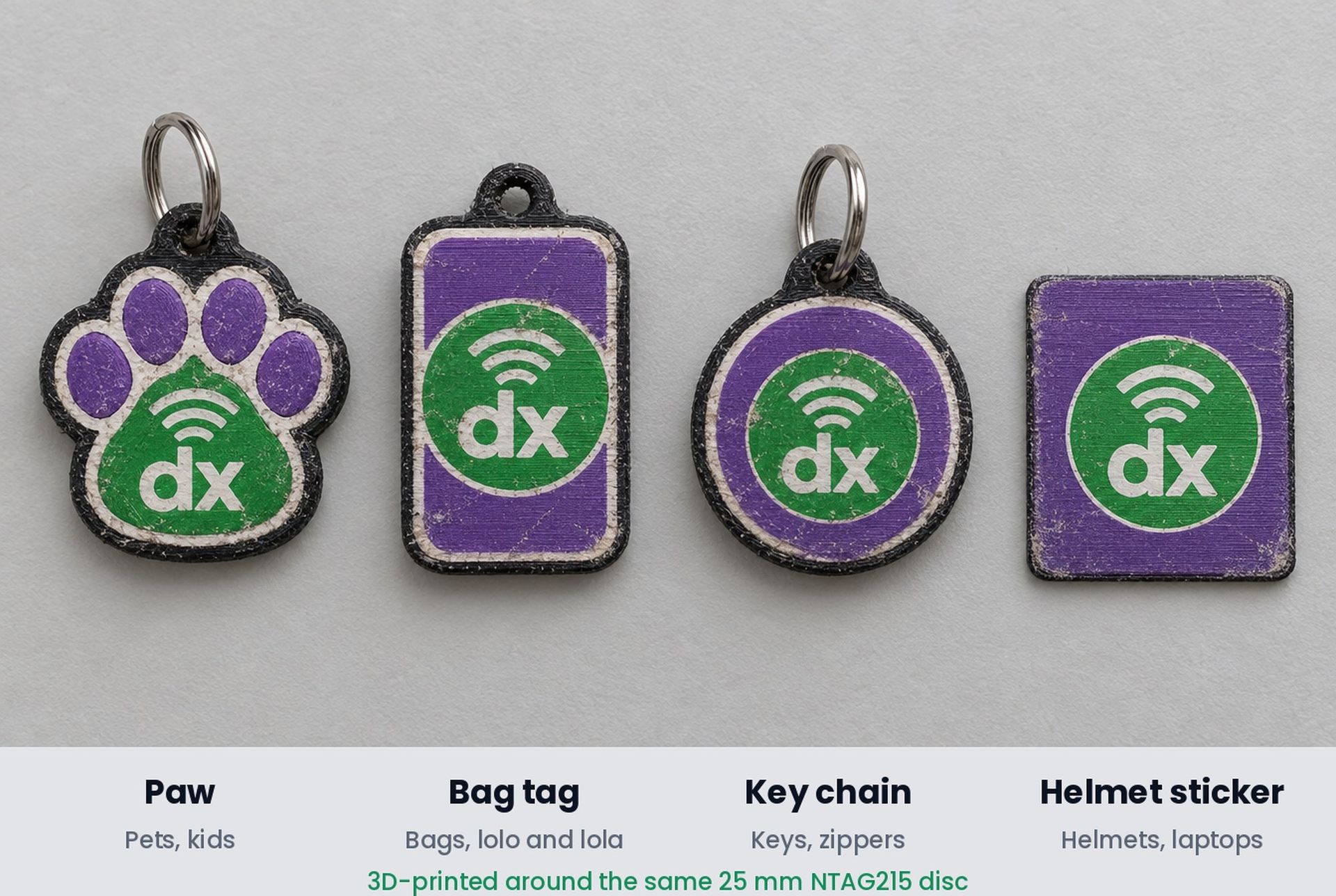
For pets and kids. Hangs from a collar or a school bag.
A slim tag, about as wide as a bag strap. Made for lolo or lola's bag, luggage and school bags. The back can carry an inlaid PWD sign or a name.
For keys, zippers and gym bags. Small, light and round.
A flat stick-on tag for the side of a cycling helmet, just above the ear. A faint ring shows where to tap.
Need a bone, a heart, a company logo shape? Message us. If we can print it around a 25 mm disc, it can be a Button.
If they’re ever found, you’re one tap away.
For pets, for lolo and lola, for anyone you’d want brought home. Whoever finds them taps the tag and reaches you.
Good to know.
Does the person tapping need an app?
No. Their phone opens your page in its normal browser.
Which phones work?
Most Android phones with NFC, and iPhone XS or newer. Any phone can scan the QR code on the button's card instead.
Can I change where it goes?
Yes, as often as you like. Sign in at buttons.designix.ph with your email to add, remove or reorder buttons, or change what each one opens. Changes reach every phone within about a minute.
Will my home address show?
Only if you want it to. A Location button opens Google Maps when tapped, and the map picture on your page is off unless you switch it on. On a pet tag you can simply write your area instead.
Can customers pay me through my button?
Yes. Add a Pay link (PayPal.me, Maya Business, PayMongo, GCash or Xendit) and/or upload your QR Ph code. Money goes straight to your own account; Designix never touches it.
Does it need a battery or charging?
No. The chip is powered by the phone during the tap.
I lost my code card. What now?
Message us with your button's serial number (for example dxb-0001) and we'll help you get it back.
Get your Designix Button.
Pet tags, shop buttons and ID add-ons, printed in-house in Bulacan in your colours.